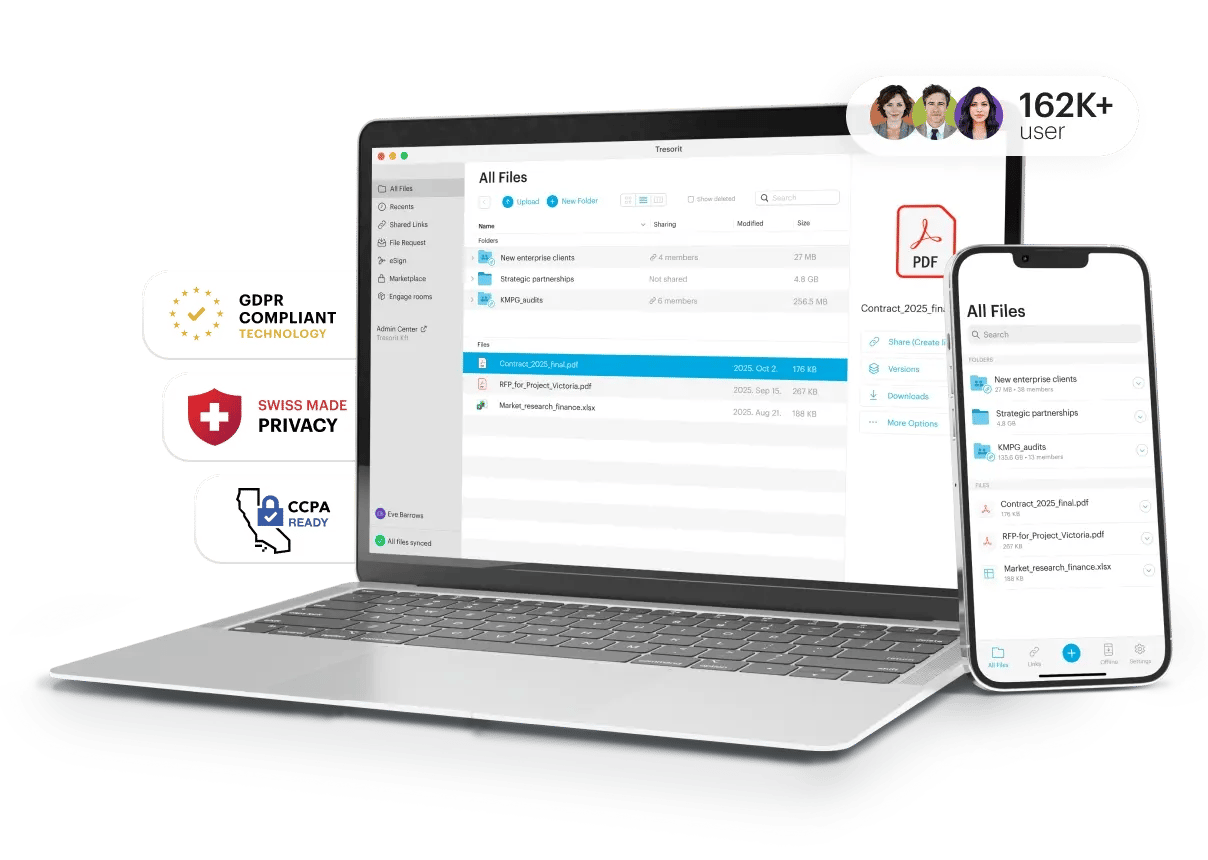
All business features in one place
Compare plan features
Business planTry for free
Professional planTry for free
Enterprise plan
- Number of users per planStarts from 3 usersFor 1 userCustom
- Encrypted storage space per userTresorit accounts have a default storage size per user depending on the plan.From 6TB encrypted storage (2TB/user)4TBCustom
- Maximum file upload sizeThe maximum size of the file that you can upload for storage.15GB10GB20GB
- Data RoomsNEWA data room is a secure digital space for your prospects, customers, and partners where sensitive documents can be shared, accessed, and managed by authorized users.Unlimited free-trialUnlimited free-trialUnlimited free-trial
- Available on Windows, Mac, Linux, Android, iOS, Web


SecureCloud core features
- ISO 27001 certification, GDPR, TISAX, and FINRA complianceProtect your sensitive files and fulfill the strictest industry and local regulations with Tresorit's ISO-27001-certified, GDPR-, TISAX- & FINRA-compliant tool.
- Zero-knowledge systemKeep everything between you and your recipients. Tresorit can't access your files and keys.
- Tresorit Drive integration to file managerIntegrate Tresorit to your local file manager to upload and access files without storing them on your computer.
- Data residency optionsSelect the data center(s) where you want to keep data and satisfy company policy or industry and jurisdiction-specific regulations.
 Multiple
 - Sync across devices and offline access, redundant storageSync files and folders to your computer, or mark them for offline access. Mitigate the risk of data loss and ensure high availability with redundant storage.
- Version historyWith version history, Tresorit tracks all file changes and it can restore previous versions to correct mistakes or revert changes.100100Unlimited
- Access permissionsInvite other users to collaborate by adding them to encrypted main folders (tresors). You can set up different rights for each member: Owner, Manager, Editor, or Viewer.
- Restore deleted filesRestore deleted files with just a click in case of accidental deletion or a ransomware attack.
- End-to-end encrypted document scannerUse your phone's camera to scan and upload sensitive documents directly to the cloud.
- Annotations on iOSAdd annotations on PDF files on iOS without leaving Tresorit.
- Mark files as editing, share Tresorit file pathsAvoid conflicts by marking documents as editing. Share the access route to items located in a folder.
- Microsoft TeamsStore, share, and sign your documents in Microsoft Teams without disrupting your workflow.
Secure file sharing
- Sharing with secure, encrypted linksShare files with an end-to-end encrypted method. Further improve security with a password, expiry date, or download limit.Up to 5GBUp to 5GBUp to 5GB
- Link security settingsExpiration, password, open limit, email notification, require email to view, disable download and print.
Manage your link's security settings for maximum access control. - Inclusion link security settingAllowed viewers for shared links.
Get full control over who can get viewer access to your shared links. - Dynamic watermark link security setting
Dynamic watermarking.
Avoid unauthorized re-sharing of your files by displaying viewer information as a watermark. - Tresorit for Outlook and Gmail plug-insReplace risky email attachments with end-to-end-encrypted links and send them directly from Outlook/Gmail.Free plug-inFree plug-inFree plug-in
- Custom brandingAdd your company's logo and brand color to shared link download pages to match the look and feel with your brand's visuals.
- Detailed access logsTrack shared files and see the email, open date, IP address, and platform used to open the links you shared.
- File requestsReceive files securely from anyone - even from external parties without a Tresorit account.
- Outlook plugin policyMake using Tresorit for Outlook mandatory for users when sending files via email.
- Advanced link trackingFind out the number of times a file was viewed, downloaded or saved to a Tresorit account.
- Link activity reportOversee all shared links in your organization, including access logs.
- Document analyticsGrow more efficiently by tracking - without ever compromising security - how your recipients engage with shared documents.
- Auto-deletion policy for shared filesAutomatically delete sensitive files that were intended to only be shared (and not stored) once the shared link is revoked or expires.
- Sharing policyControl with whom exactly your users can share folders and links by using approved lists.
Powerful admin controls for teams
- Maximum number of policiesSet up policies for different user groups, such as mandatory 2-Step Verification, IP filtering, device and feature limitations, sharing rules, and more.UnlimitedUnlimited
- 2-Step Verification and device policiesMake 2-Step Verification mandatory for all users and define which operating systems or mobile platforms they can use to access Tresorit.
- Remote and local device wipesPerform a remote wipe on your device in case of loss or theft. Automatically delete all synced folders when you sign out of Tresorit.
- Link security settings policyMake password protection, expiration date, open limit, access logs, and email verification mandatory for file sharing.
- Detailed reportingExport operational data as a .csv file for further analysis.
- Folder takeoverAdmins will be able to take over users' folders and transfer the ownership and content before deleting user accounts.
- Password recoveryAdmins can recover user passwords and revoke access from devices.
- Domain verificationSimplify user management in Tresorit by verifying domains and automatically migrating users to the team's subscription.
- Subscription Co-AdminsSubscription owners can promote users to Co-Admins, giving them the right to manage the subscription.
- Subscription ownersIn addition to Co-Admin rights, Co-Owners can also reset user passwords and wipe devices.
- Email preference settingsSelect what type of email communications (App notifications, product updates, promotions, etc.) your users can receive from us. They'll still have the option to opt out individually.
- Custom domain for linksUse your own domain for sharing.
Integrations for workspace admins
- Single Sign-On (SSO)Use your own identity provider to access Tresorit.Okta, AzureAD, Google WorkspaceCustom
- ProvisioningManage users through your own identity provider.AzureAD, Okta
- Active DirectorySynchronize users, tresors and tresor memberships from your own directory service.
- Bring Your Own — AzureAs an enterprise Azure subscriber, you can use your own Azure data centers with Tresorit without having to migrate your data.
- SIEMConnect Tresorit with external monitoring and reporting systems to get alerts and insights about your team members' sharing activity, so you can proactively monitor and respond to issues.Microsoft Sentinel
Enhanced compliance
- HIPAA complianceKeep sensitive and patient data safe with the HIPAA-compliant Tresorit solution. End-to-end encrypt your data storage and file sharing with clients.
- GDPR Custom DPARequest a custom DPA (Data Processing Agreement) to demonstrate GDPR compliance.
Support
- Live chat supportContact Tresorit support via live chat between Monday and Friday 9 AM-12 AM and on Saturday, Sunday 9 AM-6 PM CET.
- Priority email supportEnjoy the special attention of our support team and receive answers via email faster, 7 days a week.
- Scheduled phone supportRequest a call with a support team member and get answers to Tresorit-related questions in a shared screen session.
- Immediate phone supportAs an enterprise user, you can get immediate help via phone from Monday to Friday 9 AM-6 PM CET.
- Onboarding and personalized staff trainingGet your team up to speed with your new Tresorit account with personalized onboarding and staff training.
- Custom deploymentCustomize the size of the storage/user.
Tresorit eSign
- Free eSignatures101010
- Free EU Qualified eSignatures666
- Available number of signaturesYou can change this during the checkout process.CustomCustomCustom
- Electronic signatureWith SES, companies logically associate a person's signature with a document to legally accept the content.
- eIDAS-compliant EU-qualified electronic signatureThe fusion of cryptographic security & certified identity proofing ensures the highest level of legal validity & eIDAS compliance across the EU.
- Signing without a Tresorit accountEasily sign from anywhere at any time, even without a Tresorit account.
- User and access controlProtect your signed documents with the same ultra-secure control features as any other file in Tresorit.
- Long Term Validation of electronic signaturesLong Term Validation support helps to know that your signature will be valid for 5, 10, or more years.
- Fillable fieldsSignature, signer info, and data.
Drag and drop text fields (Signature, Initial, Name, E- mail address, Date signed) and checkbox anywhere in the document to allow your signer to fill in information. - Usage reporteSign reports provide an overview on all eSign requests created in the subscription Monitor activities such as link sharing and folder invitations or review the list of items shared with external users.
What all plans include
No matter which plan you choose, Tresorit offers you an unbeatable combination of protection and usability. We ensure that your data remains secure and under your control at all times.
- End-to-end encrypted file storage to protect your data from unauthorized access, even when it is stored in the cloud.
- Zero-knowledge system for maximum privacy and trust, ensuring that not even Tresorit can see your data.
- Two-factor authentication (2FA) to add an extra layer of security against unauthorized access, especially if passwords are compromised.
- Granular permissions to enable precise control over access rights to files and folders.
- Multi-platform support to ensure access to Tresorit offline and online on Windows, macOS, Linux, iOS, Android and via the web.