8 min read


How legal teams can protect confidential file exchanges
Legal teams handle information that can shape the outcome of a dispute, transaction, investigation, or client relationship. Contracts, case strategies, and due diligence materials are not ordinary business files. If they are shared with the wrong person or left accessible after a matter closes, the consequences can be legal, financial, and reputational. Secure document sharing is therefore not just about sending files quickly. It is about being able to control who can access, edit, or download confidential documents, and for how long.
In everyday legal work, this control is often missing: a sharing link is forwarded without restrictions, an external adviser keeps access after a matter ends, the wrong version is sent to a client. Without technical and organizational safeguards, sensitive information can quickly move beyond the intended group of authorized recipients.
At the same time, legal work depends on fast collaboration with external stakeholders. Clients, external counsel, auditors, experts, and opposing parties may need access to selected documents. The right process protects sensitive documents while keeping collaboration simple enough for legal teams, clients, and external parties to use consistently.
In brief: Secure document sharing means sending, receiving, and collaborating on legal files in a way that protects confidentiality, limits access to authorized people, records document activity, and reduces the risk of uncontrolled disclosure.
Law firms and legal departments should therefore treat secure document sharing not as a purely technical feature. It is part of how legal professionals protect confidentiality, preserve client trust, and maintain control over sensitive work across every stage of a matter.
Why document security is critical in legal work
Legal documents often contain personal data, trade secrets, confidential strategies, contract details, or information about ongoing disputes. If such sensitive information is exposed, the consequences can include professional conduct issues, notification obligations, regulatory scrutiny, and loss of client trust.
In practice, document-security failures often happen through everyday convenience: A contract bundle is forwarded to a personal inbox to work remotely. A client uploads sensitive files to an unmanaged consumer tool. A folder link is shared without an expiry date. A former external adviser remains in a matter folder after the engagement ends. None of these situations require a sophisticated cyberattack to create risk.
The risk does not only arise when a document is uploaded or sent. Legal files move through a full lifecycle: creation, editing, review, approval, external sharing, versioning, archiving, access revocation and deletion. At each stage, documents can leave the controlled process.
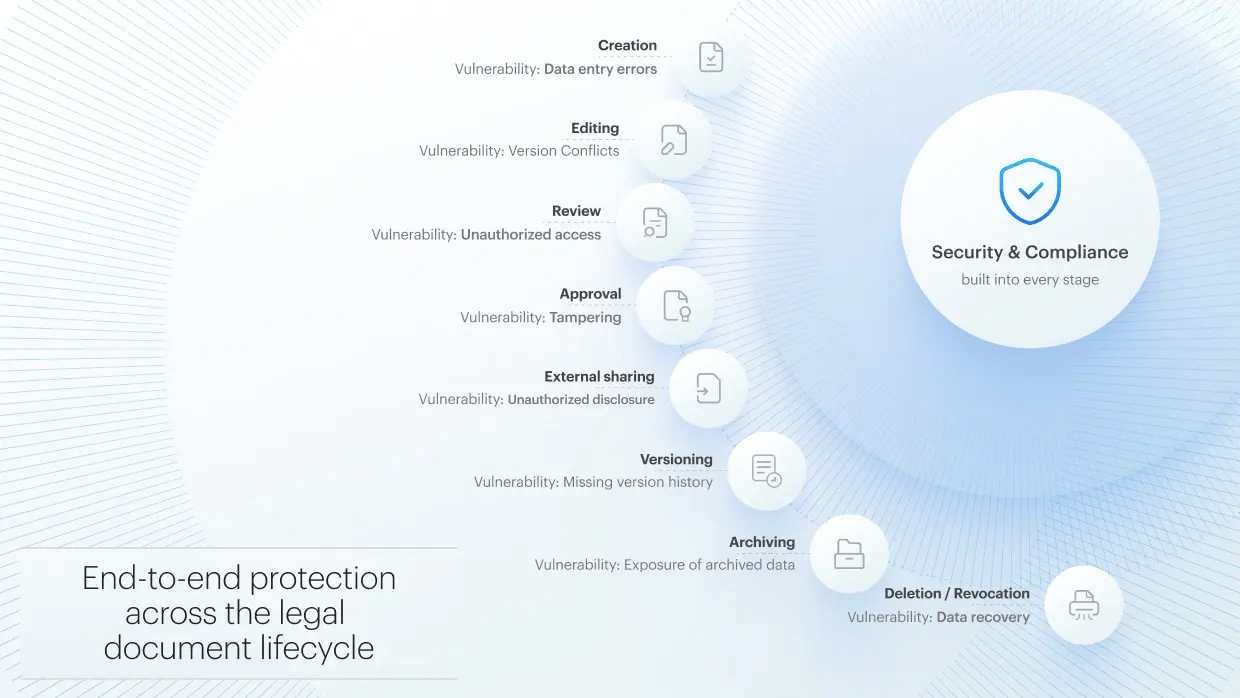
Law firms and legal departments therefore need secure processes that do more than promise confidentiality. They need workflows that enforce it in the way documents are actually exchanged and used. This should not slow collaboration down. In practice, the opposite is true. If secure sharing is too complicated, teams fall back on risky email attachments, open links, or personal cloud storage.
Confidentiality and legal obligations in document sharing
For legal teams, secure document sharing is more than an operational preference. It is one way confidentiality duties, client expectations, privacy requirements, and internal security policies are put into practice.
The exact obligations vary by country, legal system, matter type, and client relationship. But the practical expectation is consistent: confidential documents should only be accessible to the right people, for the right purpose, and for as long as access is needed.
Regulatory context: Legal document-sharing obligations vary by jurisdiction and matter type. Legal teams may need to consider professional confidentiality duties, privilege rules, data protection laws, contractual security requirements, retention duties, and client-specific policies. In the EU, GDPR Article 32 requires appropriate technical and organizational measures to protect personal data, which may include encryption, access controls, and regular security reviews. In Germany, lawyers are subject to professional confidentiality duties, including under Section 43a of the Federal Lawyers’ Act.
In practice, this means law firms and legal departments should not share confidential documents through unprotected email attachments or open links. They need secure, controlled filesharing methods that make recipients, permissions, access duration, and document activities traceable.
The limits of email attachments and consumer file-sharing tools
Email is familiar, fast, and still widely used in legal collaboration. At the same time, it is one of the least reliable ways to control sensitive documents after they have been sent.
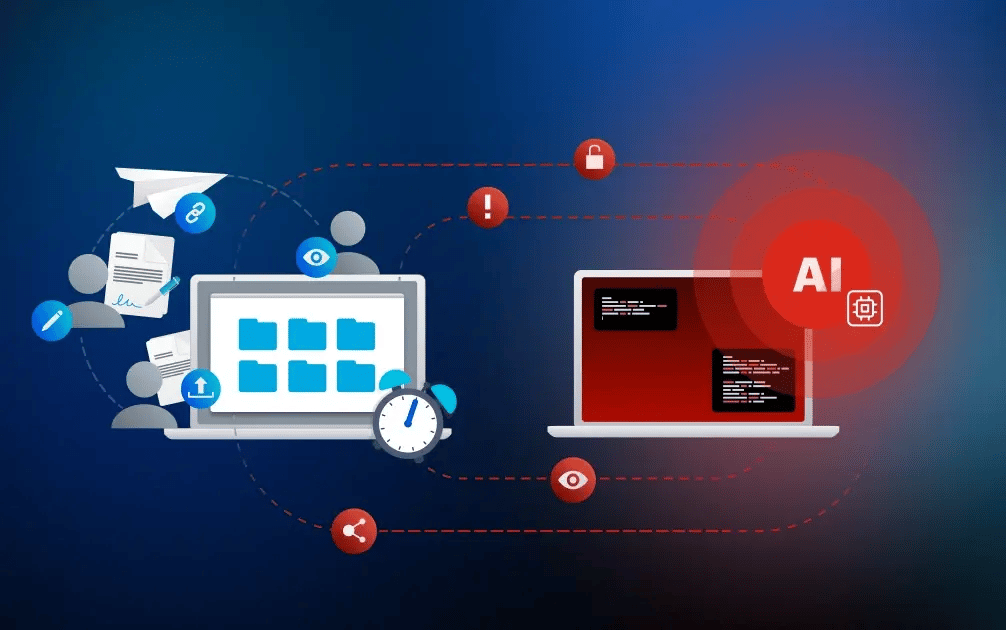
Once a legal document is sent as an attachment, the sender usually loses control. The recipient can forward the file, save it locally, upload it elsewhere, or keep it indefinitely. If the wrong version is sent, there is no reliable way to retrieve every copy. If access needs to be revoked later, the attachment is already outside the sender’s control.
Consumer file-sharing tools create a different set of risks. They may make collaboration easier, but they are often used outside approved IT processes. This creates shadow IT: sensitive legal documents are stored in tools that the law firm or legal department does not control. Often, there are no consistent policies, audit visibility, or granular access controls.
Why email is not enough for confidential legal documents
|
Email attachments and consumer tools
|
Secure document sharing
|
|
Files can be forwarded without control
|
Access is limited to approved recipients
|
|
Attachments are hard to revoke once sent
|
Access can be revoked when no longer needed
|
|
Downloads and local copies are difficult to manage
|
Downloads can be restricted for sensitive files
|
|
Access may remain active longer then intended
|
Access can be set time-limited and revoked |
|
Activity is hard to reconstruct from email threads
|
Audit trails show access, sharing, and changes
|
|
Personal cloud tools can create shadow IT
|
Documents stay in approved, controlled workflows
|
Encryption as the foundation for confidential legal document sharing
Encryption is a basic requirement for secure document sharing, helping legal teams meet professional and regulatory expectations. At a minimum, legal files should be encrypted during transmission and while stored in the cloud.
However, not all encryption models provide the same level of control and security. For highly confidential matters, legal teams should not only ask whether documents are encrypted, but also whether encryption applies throughout the collaboration process and who controls the cryptographic keys.
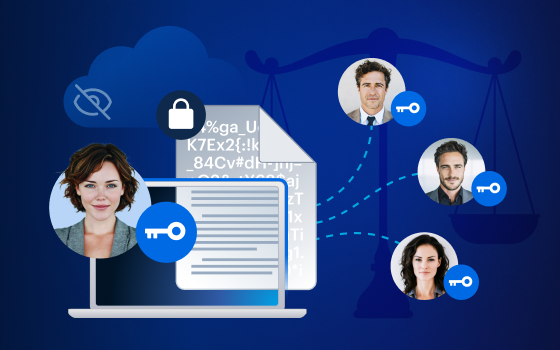
Zero-knowledge end-to-end encryption provides a particularly high level of confidentiality and security in legal document sharing. Documents are encrypted end to end, so only authorized users can decrypt and read them. Because the cryptographic keys remain with the users and are not held by the cloud provider, the platform operator cannot view stored or shared content.
Encryption alone does not solve every document-sharing risk. If the wrong person receives access, if a link is forwarded without verification or if downloads remain uncontrolled, confidentiality can still be compromised. Strong legal workflows therefore combine encryption with access control, activity logging, and sharing rules.
Access control: Who can do what, and for how long?
After encryption, access control determines whether confidential collaboration works in practice. Legal teams need to define not only who may receive a document, but also what that person can do with it.
In practice, security risks often come from poorly managed permissions: An external adviser receives access to a full matter folder, although only selected drafts are relevant. A client downloads a sensitive file when view-only access would have been enough. A former project participant keeps access because permissions were never reviewed after the project ended. Each case expands access beyond what the matter actually requires.
Before sharing confidential files, legal teams should clarify:
- Who is allowed to view the document?
- Who can edit, download, upload or forward it?
- Does access need an expiry date?
- Should downloads be restricted?
- Is the recipient clearly identified or verified?
- When will access be reviewed or removed?
Good access control follows the need-to-know principle. Every participant should receive the access required for their role, and no more.
Compliance and traceability: Why legal teams need audit trails
Legal teams do not only need to protect confidential documents. They may also need to show how those documents were handled, especially when questions arise during a dispute, audit, client review, or matter transition.
Audit trails are records of document activity. They can show, in detail, what happened to a document:
- who accessed a document
- when a file was opened
- whether a document was edited, downloaded or shared
- when permissions were changed
- whether external access was removed
Without reliable logs, teams may have to reconstruct events from email chains, file names, chat messages, or individual memory. That is slow, incomplete, and unreliable.
Audit trails in legal document sharing are more than a technical feature. They support accountability by creating a traceable record of access, sharing, downloads, edits, and permission changes. They help legal teams demonstrate how confidential documents were handled and whether access was properly removed when it was no longer needed.
External collaboration: When confidential documents leave the organization
Many legal workflows depend on external collaboration. Clients, external counsel, experts, auditors, advisers, or service providers may all need access to selected documents, but they often work outside the legal team’s own IT environment. That means the firm or legal department may not fully control the recipient’s device, inbox, internal sharing habits, security posture, or storage location. Learn more about the top security risks in client collaboration.
That is why secure workflows should not depend on every participant understanding legal security requirements in detail. The workflow itself should guide users toward safer behavior. Access for external parties should therefore be granted restrictively, reviewed regularly, and removed when it is no longer needed.
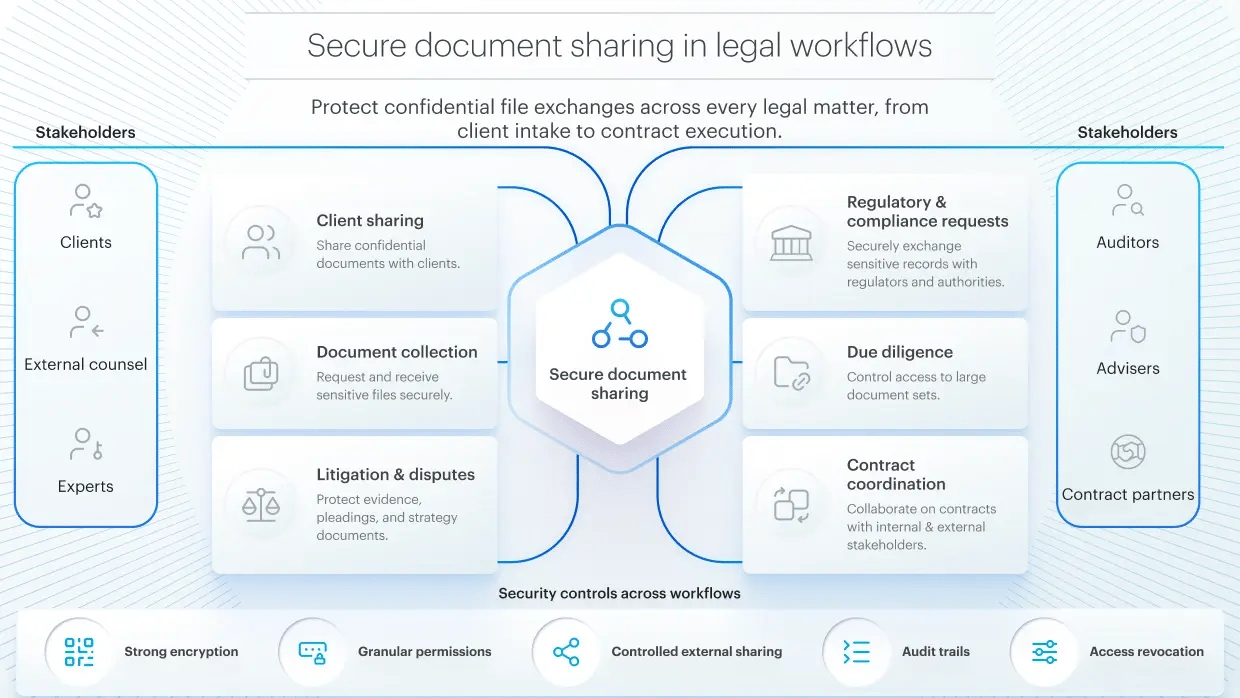
Common legal use cases for secure document sharing
Different legal use cases require different levels of protection. But every sensitive document needs clear rules.
1. Sharing confidential data with clients
Client collaboration often requires the fast exchange of contracts, legal opinions, risk assessments, evidence, or personal documents. But once a file is emailed, downloaded, or forwarded, the legal team may lose visibility over who has access and which version is in circulation.
For sensitive client sharing, access should be limited to defined recipients. Depending on the content, legal teams may also restrict downloads, set expiry dates, or require email verification.
2. Collecting documents from clients or external parties
Legal teams do not only send confidential documents. They also receive them from clients, counterparties, auditors, or advisers. These files may include identity documents, evidence, financial records, HR documents, contracts, or compliance materials.
If external parties use email attachments or personal cloud to upload files, sensitive information can enter the matter through unmanaged channels. Secure file requests or dedicated matter folders help keep incoming documents encrypted, organized, and assigned to the right case or project from the start.
3. Providing due diligence documents to external parties
Transactions and structured review processes often involve large volumes of confidential material, such as contracts, financial records, intellectual property documents, HR files, compliance evidence, or strategic business information.
In these cases, simple file sharing or upload links are often not enough. Legal teams may need secure data rooms with granular permissions based on the need-to-know principle and activity logging.
4. Protecting documents in litigation and disputes
Litigation documents can be especially sensitive because they often combine factual evidence, legal arguments, internal assessments, and negotiation strategy. The risk is not only unauthorized access, but also information reaching the wrong context or audience.
Legal teams should separate internal working documents from externally shared materials and final submitted versions. Access to confidential files should be limited to the people who need them for the specific stage of the dispute.
5. Coordinating contracts across internal and external stakeholders
Contract workflows often involve legal, business teams, management, external counsel, and contract partners. Without a clear process, parallel and outdated versions can spread across email threads, slowing down reviews and approvals.
A secure sharing workflow defines who can do what to the document. Secure two-way sharing through controlled links helps teams exchange feedback, keep versions organized, and move contracts forward without losing control over the document status.
Practical checklist for secure document sharing in legal work
Before sharing confidential documents, law firms and legal departments should ask:
- Is the document confidential, matter-related, personal, or strategically sensitive?
- Does the recipient need the full document or only selected files?
- Is the recipient clearly identified or verified?
- Are permissions limited to the specific purpose?
- Should the recipient only view the document, or also download it?
- Does the share need an expiry date?
- Can access be revoked later?
- Is it documented who opened, edited, shared, or downloaded the document?
- Are internal working versions separated from externally shared versions?
- Are access rights reviewed after a matter, project, or transaction ends?
When file sharing is not enough: Secure workspaces for complex legal workflows
Secure file sharing is often enough when individual confidential documents need to be shared with defined recipients. But complex legal workflows, such as disputes or confidential contract negotiations, require more than file exchange. Teams also need to coordinate tasks, track communication, capture decisions, manage status updates, and collect e-signatures.
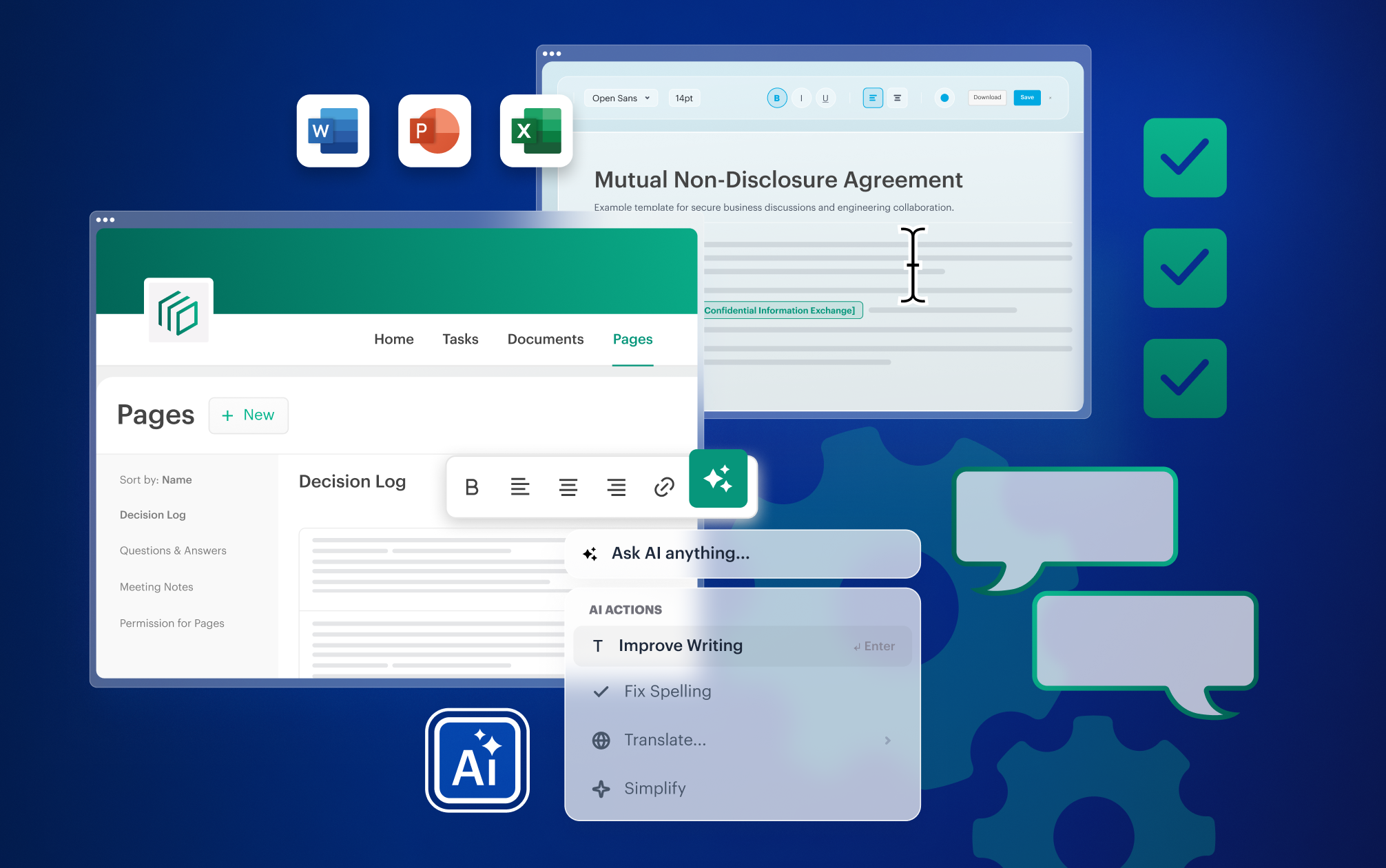
In these situations, a secure, structured workspace is more suitable. An encrypted data room solution such as Tresorit Engage brings documents, tasks, communication, access management, and e-signatures into one controlled environment instead of spreading them across emails, chat threads, and disconnected tools.
Secure file-sharing vs. encrypted data rooms: File sharing enables the secure exchange of individual files. A secure workspace solves the broader challenge of complex collaboration: documents, tasks, communication, roles, and traceability remain controllable across the full project lifecycle.
Security and control that fit the legal workflow
Legal teams need secure ways to collaborate without falling back on email attachments, open links, or personal cloud storage. With zero-knowledge end-to-end encryption, granular access controls, and secure sharing workflows, Tresorit helps law firms and legal departments keep confidential documents protected while collaboration stays efficient.
-
Tresorit SecureCloud supports encrypted storage and structured internal collaboration.
-
Tresorit FileSharing supports controlled document exchange with internal and external recipients.
-
Tresorit Engage supports secure data rooms and workspaces for sensitive projects involving multiple stakeholders.
Explore Tresorit's secure cloud solutions for lawyers.
Share this article