Encrypted email with just one click
Email security service that protects against data loss and puts you in control – even after you hit the send button.
- Securely share confidential information and attachments with just one click
- Simplify security—send protected emails without key exchanges, extra software, or complicated workflows
- Seamlessly protect your emails within Microsoft Outlook, ensuring a smooth experience for all recipients
Why unencrypted emails pose a major risk to your business
Emails are a prime target for cybercriminals, with many attacks starting through unprotected communication. Without encryption, the integrity of your emails and files is at risk, making them vulnerable to unauthorized access and potential tampering.
Safeguarding against these threats, ensuring compliance with data protection regulations, and maintaining business continuity are all critical, and with the right security in place, you can protect your data from these potential risks.
- 22% of data breaches are a result of human errors (where sensitive data is accidentally sent to the wrong person)
- 91% of cybercrimes start with an email

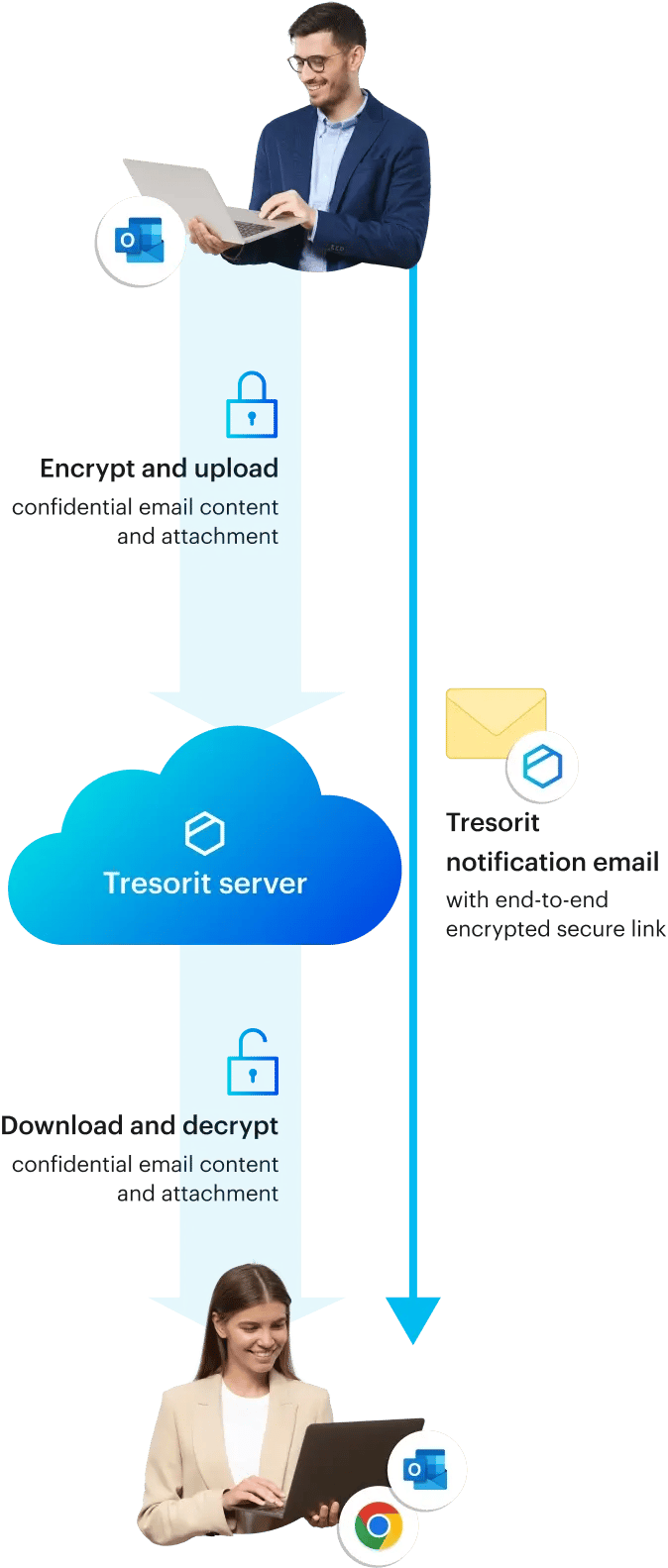
How Tresorit’s encrypted email solution works

How Tresorit’s encrypted email solution works
Features to boost your email security
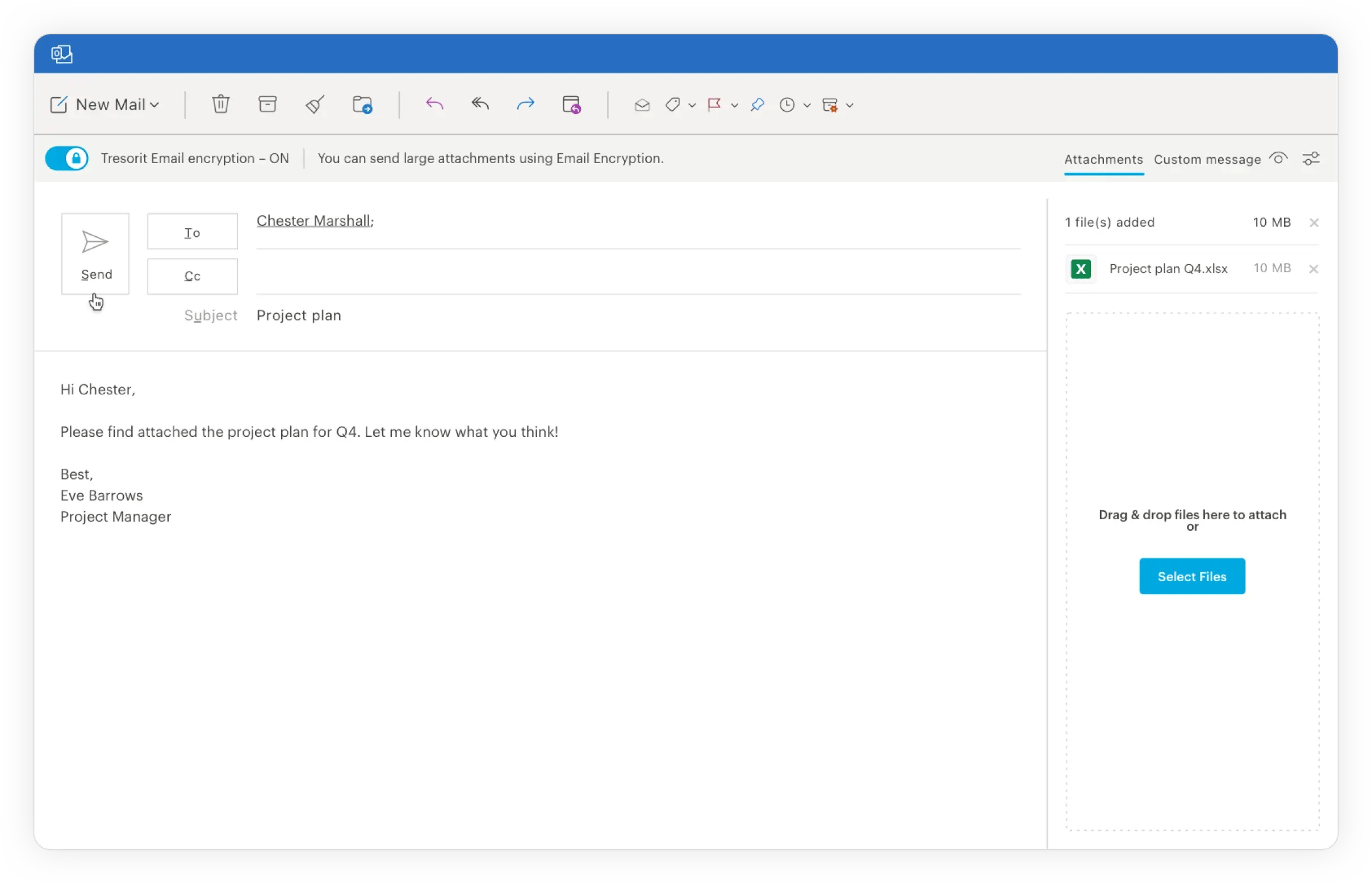
Senders can:
- Customize secure encrypted emails to match their brand.
- Attach large files to emails without having to deal with Outlook warnings and popups.
- Avoid data leaks and increase security with the ability to revoke access to emails even after sending.
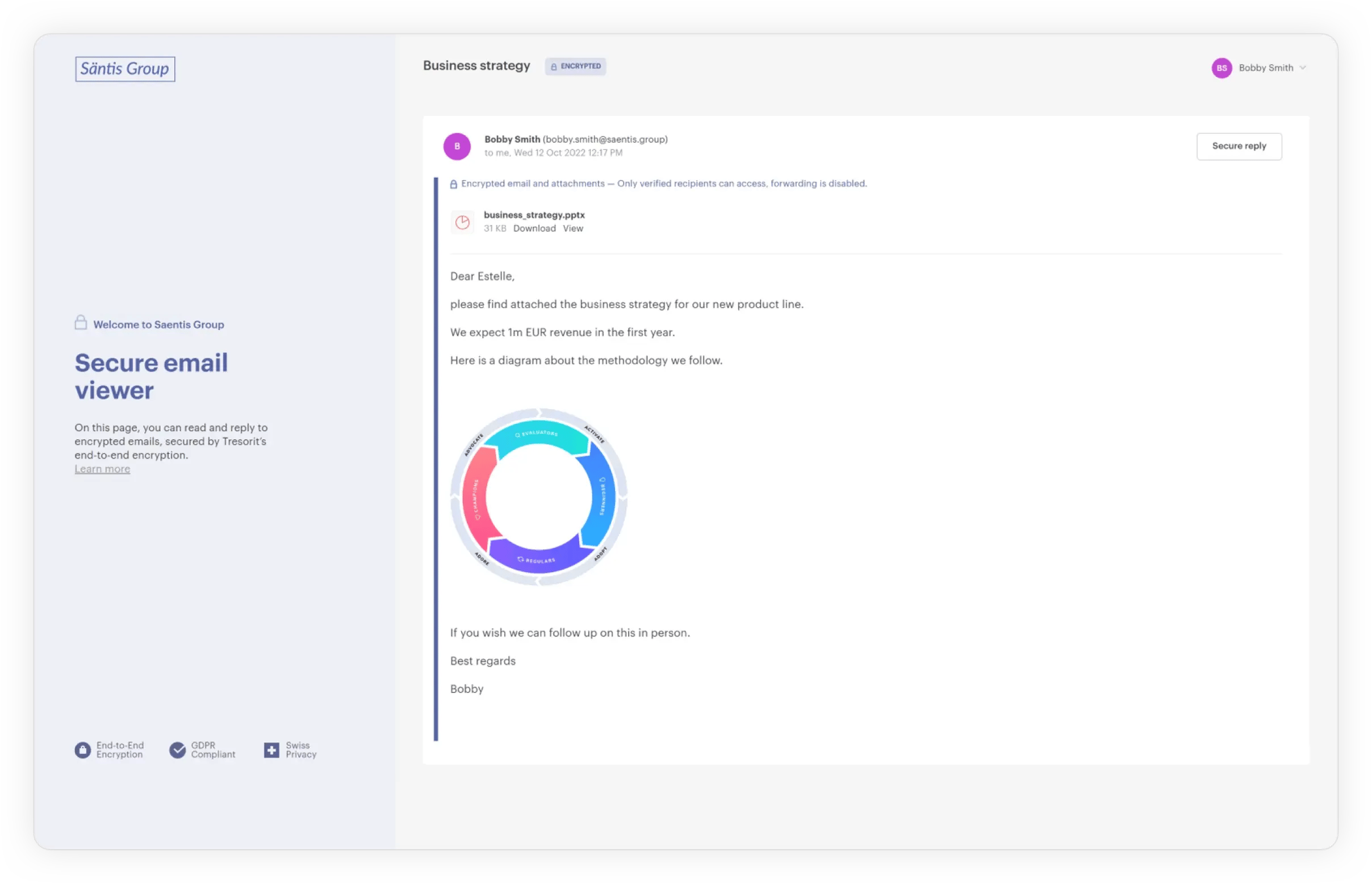
Recipients can:
- Access encrypted emails quickly with their Microsoft or Google accounts in a browser – even without a Tresorit account.
- Send encrypted replies from a browser complying with the highest level of security standards.
Admins can:
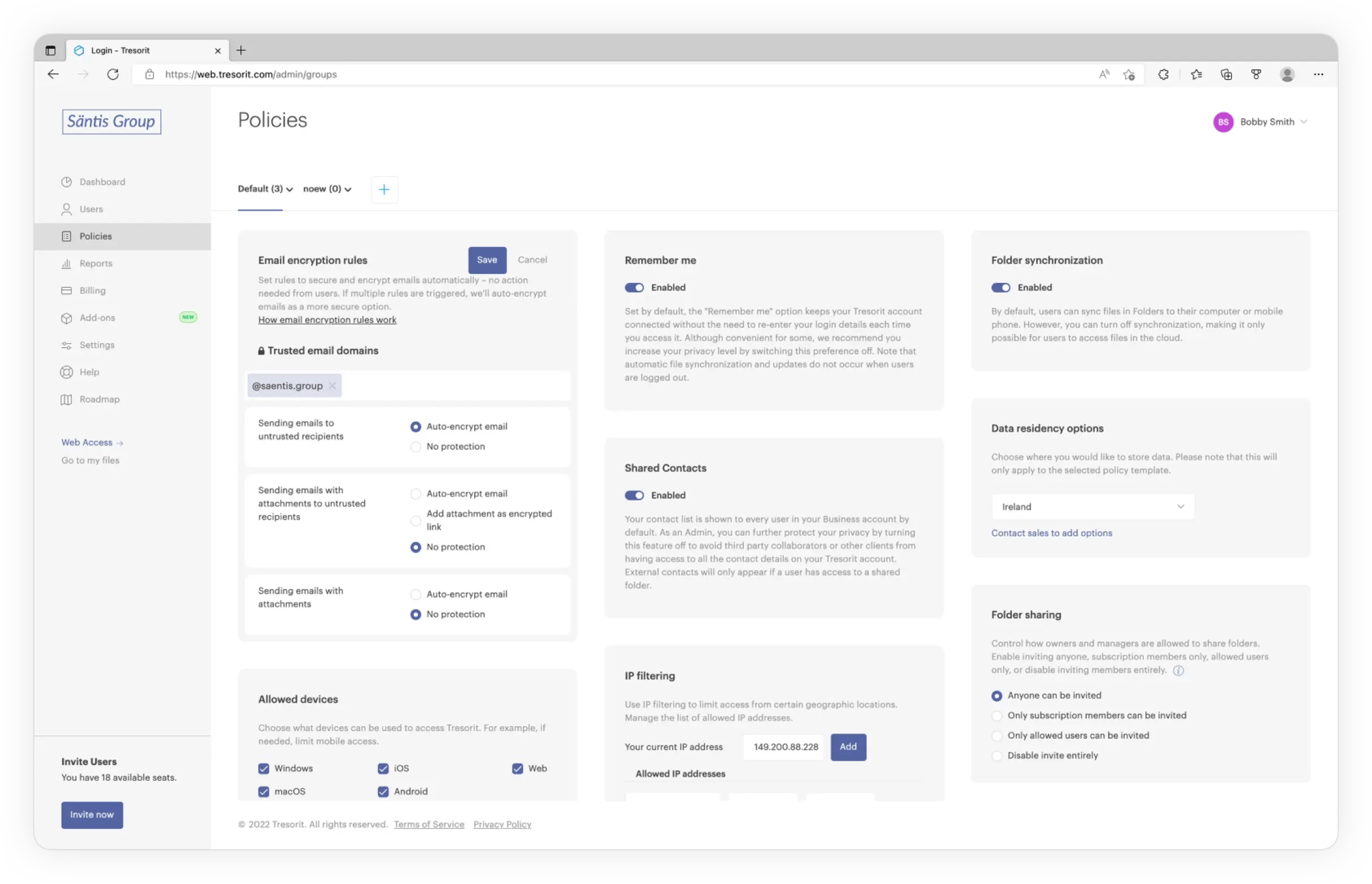
- Set rules to auto-encrypt the entire email or attachments only, based on recipients or attachments.
- Customize secure encrypted emails to match their brand.
- Gain detailed insights into encrypted email communication of the entire subscription.